defmodule LiveSelect do
use Phoenix.Component
alias LiveSelect.Component
@moduledoc ~S"""
The `LiveSelect` component is rendered by calling the `live_select/1` function and passing it a form field.
LiveSelect creates a text input field in which the user can type text, and hidden input field(s) that will contain the value of the selected option(s).
Whenever the user types something in the text input, LiveSelect triggers a `live_select_change` event for your LiveView or LiveComponent.
The message has a `text` parameter containing the current text entered by the user, as well as `id` and `field` parameters with the id of the
LiveSelect component and the name of the LiveSelect form field, respectively.
Your job is to handle the event, retrieve the list of selectable options and then call `Phoenix.LiveView.send_update/3`
to send the list of options to LiveSelect. See the "Examples" section below for details, and check out the
[cheatsheet](https://hexdocs.pm/live_select/cheatsheet.html) for some useful tips.
Selection can happen either using the keyboard, by navigating the options with the arrow keys and then pressing enter, or by
clicking an option with the mouse.
Whenever an option is selected, `LiveSelect` will trigger a standard `phx-change` event in the form. See the "Examples" section
below for details on how to handle the event. In `single` and `tags` mode, the content of the input text field and the list of selectable options are cleared on selection.
To suppress this behavior, use the `keep_options_on_select` flag in the assigns.
In single mode, if the configuration option `allow_clear` is set, the user can manually clear the selection by clicking on the `x` button on the input field.
In tags mode, single tags can be removed by clicking on them.
## Single mode
element with multiple attribute](https://developer.mozilla.org/en-US/docs/Web/HTML/Attributes/multiple) would do.
## Quick tags mode
<.globe /> <%= option.label %>
<:tag :let={option}>
<.check /> <%= option.label %>
```
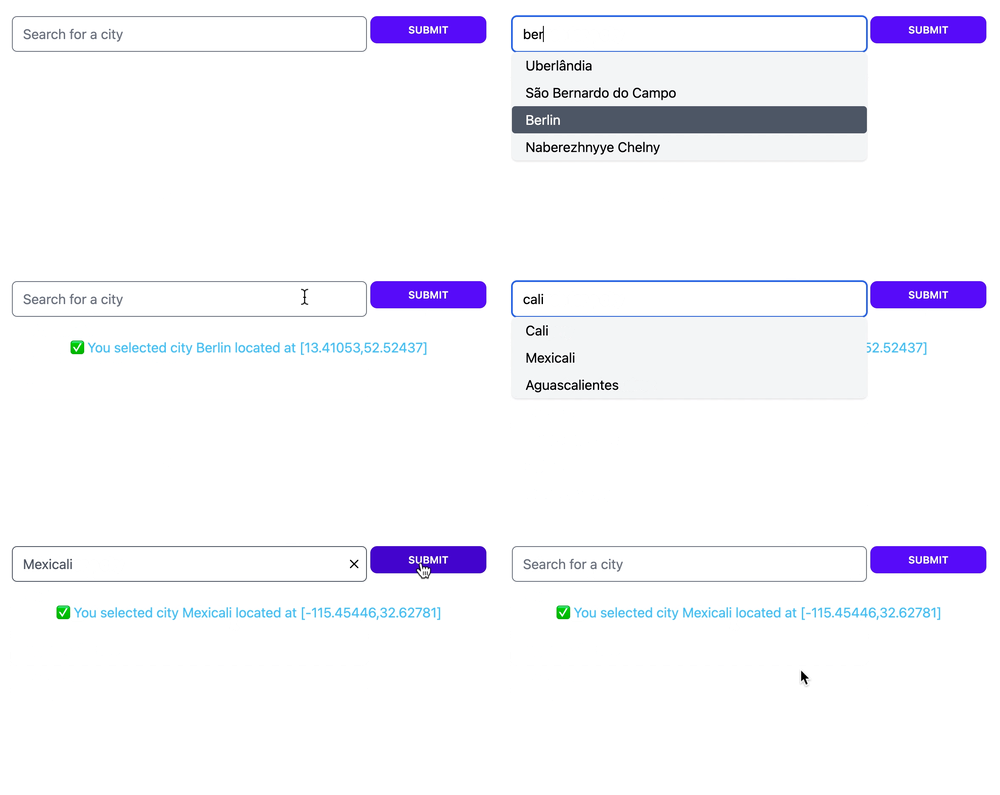
Here's the result:
 ## Tags mode
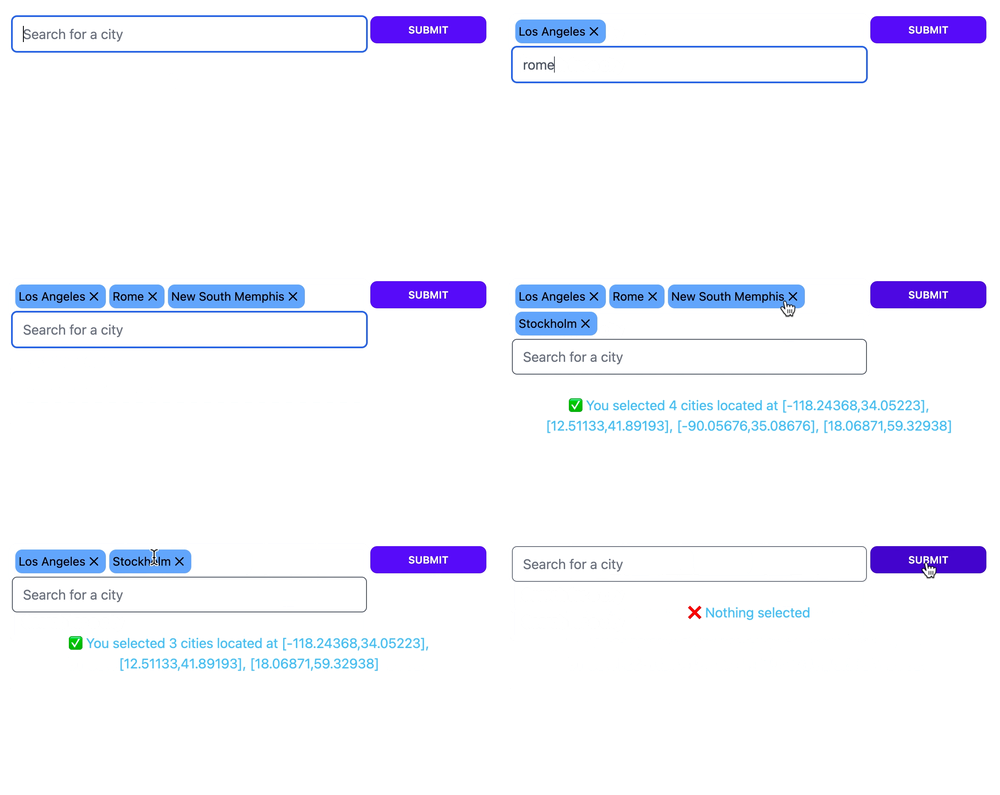 When `:tags` mode is enabled `LiveSelect` allows the user to select multiple entries. The entries will be visible above the text input field as removable tags.
The selected entries will be passed to your live view's `change` and `submit` event handlers as a list of entries, just like an [HTML
When `:tags` mode is enabled `LiveSelect` allows the user to select multiple entries. The entries will be visible above the text input field as removable tags.
The selected entries will be passed to your live view's `change` and `submit` event handlers as a list of entries, just like an [HTML