# Ecto.ERD
[](https://hex.pm/packages/ecto_erd)
A mix task for generating an ERD (Entity-Relationship Diagram) in various
formats for all Ecto schemas in your project.
Supported formats:
* [DOT](https://en.wikipedia.org/wiki/DOT_(graph_description_language)) (default)
* [PlantUML](https://plantuml.com)
* [DBML](https://www.dbml.org/)
* [QuickDBD](https://www.quickdatabasediagrams.com)
* [Mermaid](https://mermaid-js.github.io/mermaid/#/entityRelationshipDiagram)
* [D2](https://d2lang.com)
## Example
### DOT
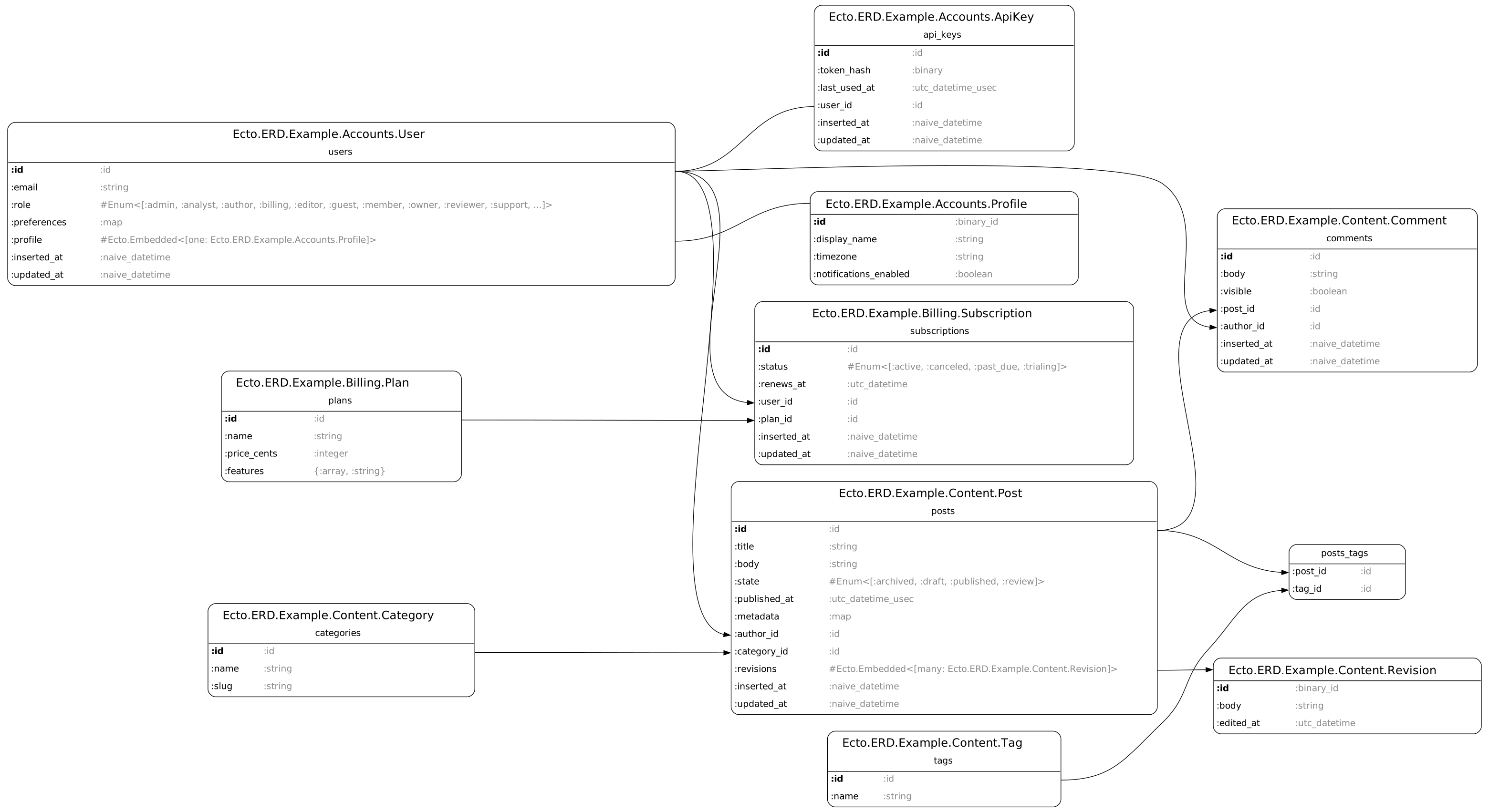
D2 output

PlantUML output

All diagrams are generated from the repository's
[sample schemas](https://github.com/fuelen/ecto_erd/blob/main/dev/example_schemas.ex).
## Installation
The package can be installed by adding `ecto_erd` to your list of dependencies
in `mix.exs`:
```elixir
def deps do
[
{:ecto_erd, "~> 0.8", only: :dev}
]
end
```
## Usage
Just run:
```sh
mix ecto.gen.erd
```
The command above produces a DOT file, which you can convert to an
image using the Graphviz utility:
```sh
dot -Tpng ecto_erd.dot -o erd.png
```
Configuration is possible via the `.ecto_erd.exs` file.
The docs can be found at [https://hexdocs.pm/ecto_erd](https://hexdocs.pm/ecto_erd).
Configuration examples and sample output can be found on the
[Examples](https://hexdocs.pm/ecto_erd/examples.html) page.